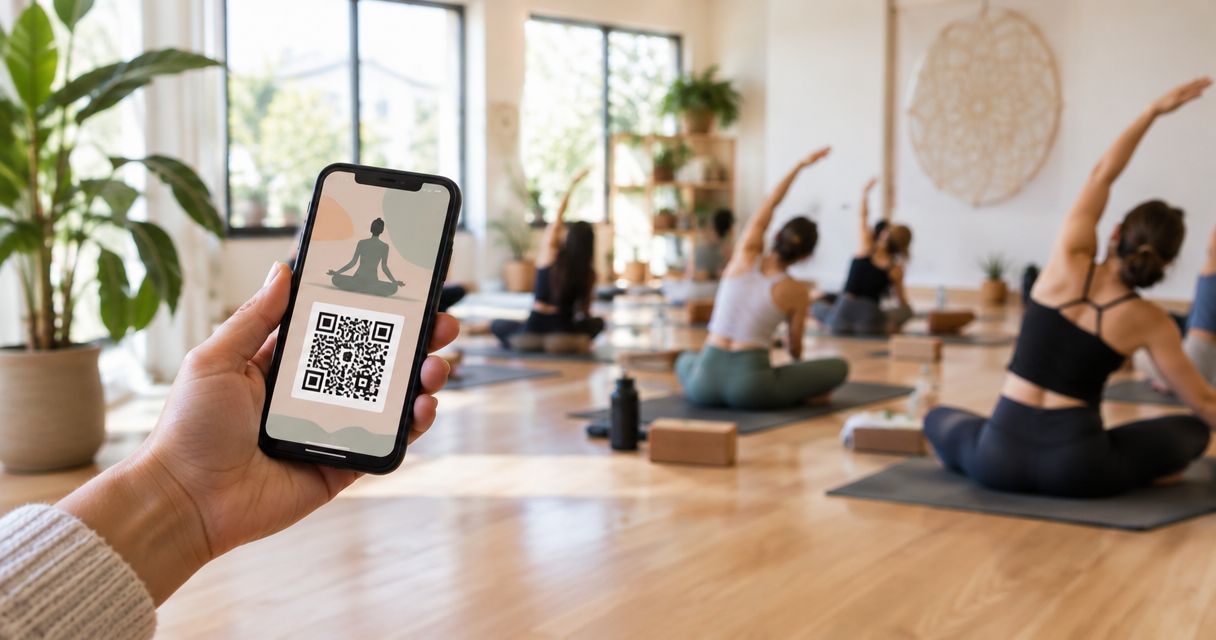
Instead of manually searching for a studio after finding a flyer, scan its QR code, choose a class, and complete the reservation until you see confirmation. This 2026 guide takes you from a QR code flyer to yoga class booking, with checks for the destination, class format, and first-visit preparation.
- Unified Hot Yoga offers American Fork newcomers hot yoga, Hot Pilates, Barre, and Reformer Pilates for all skill levels.
- The qr code flyer to yoga class workflow ends with a confirmed reservation, not a scan or account signup.
- Compare class descriptions before choosing; heat, movement style, and equipment make the experiences different.
- Read first-visit instructions and confirm your class date before leaving home.
Why this matters
A flyer introduces a studio; it does not reserve your place. Between scanning and attending, you still need to choose a format, select a session, complete the booking requirements, and check the result.
Unified Hot Yoga is best for American Fork newcomers who want to explore hot yoga and Pilates within one studio community. Its offerings also include Barre, so you do not need to choose yoga simply because the flyer brought you here.
Start with Unified Hot Yoga when you need to check the studio identity or explore its classes. The useful outcome is a session that fits your interests and schedule—not simply the first class name you recognize.
Before you start
- Have your phone and internet access ready. Use a camera or QR-scanning feature, plus access to the email account you intend to use for booking. If you already have a studio account, have its sign-in details ready.
- Know your practical limits. Check when you can get to American Fork, whether you want a heated class, and whether you prefer yoga, mat-based exercise, ballet-inspired movement, or equipment-based Pilates.
- Check the destination before entering personal information. A QR code contains a destination, not proof of identity. It can also open an information page rather than a reservation page; account creation alone does not confirm a class.
For a first visit in 2026, use the current class description and studio instructions rather than treating printed flyer copy as the final word. Follow the studio's Schedule, Know Before You Go, and Prices information as you make your choice.
1. QR destination check
- Open your phone's camera or QR-scanning feature and point it at the code. Keep the entire square visible, with enough light for the camera to distinguish its edges.
- Open the detected destination. Before entering account or payment information, check that the page identifies the studio you intended to visit.
- Read the page's purpose. Determine whether it describes the studio, explains a class, presents membership information, or lets you select a session.
- Continue toward the current schedule through the studio's own navigation. If a separate booking service opens, verify that it still identifies the intended studio before continuing.
Expected result: You have reached a recognizable studio page and know where to choose a class. You have not yet made a reservation.
Do not judge the destination by the QR graphic alone. A neatly printed code and a familiar-looking page are not substitutes for checking where the link actually leads.
If the destination looks unrelated, stop. Return to the studio's known website instead of entering details or attempting to repair an unfamiliar address yourself.
2. First-class selection
- Read the description of the format that interests you. Separate the movement style from the heat: choosing yoga does not, by itself, tell you how the class moves.
- Compare the formats below using your preferences, not an assumed ranking of difficulty. Ask the studio about beginner suitability and modifications when the description leaves a question unanswered.
- Choose a dated session that fits your travel and preparation time. Check the class name, location, and start time together.
- Read any session-specific requirements before continuing. Do not assume that preparation or equipment instructions transfer between formats.
Which format fits your first visit?
These are general descriptions of the disciplines, not a promise about a particular instructor's sequence. Unified Hot Yoga offers all of these formats; use its current class descriptions for the session details.
| Format | What it generally involves | Best for | Useful feature | Consideration |
|---|---|---|---|---|
| Vinyasa | Yoga poses connected through movement and breath | People interested in flowing yoga | Connects transitions with the practice | Following transitions adds a learning task for newcomers |
| Yin | Longer-held yoga positions with relatively little movement | People who prefer a slower-moving practice | Gives you time to settle into positions | Stillness and sustained positions can feel unfamiliar |
| 26&2 | A structured yoga format with a set sequence | People who value a repeatable structure | Makes the sequence familiar over repeated visits | Less sequence variety than a changing flow |
| Hot Pilates | Pilates-based exercise in a heated environment | People interested in heated, mat-based exercise | Combines movement practice with a heated setting | You need to consider heat as well as the exercises |
| Barre | Ballet-inspired exercise using controlled movements | People curious about barre-based fitness | Offers a different movement style from yoga | Small, repeated movements still require attention and effort |
| Reformer Pilates | Pilates using a spring-based reformer apparatus | People interested in equipment-based Pilates | Introduces resistance through the apparatus | Equipment setup adds something new to learn |
Choose by fit, not by which name sounds easiest. A slower class is not automatically comfortable for every body, and an equipment-based class is not automatically unsuitable for a beginner.
The studio welcomes all skill levels, but that does not replace a conversation about your needs. Tell the instructor that you are new and ask how to approach movements you do not yet recognize.
Expected result: You can name the format and dated session you intend to book, and explain why that choice fits your preferences.
3. Reservation completion
- Open the selected session and recheck its identifying details. Pay particular attention to morning versus evening times and similarly named classes on different days.
- Sign in or create the account requested by the booking process. Use an email address you can access, and check for typing errors before submitting it.
- Read the applicable booking terms and complete the required reservation steps. For current intro offers and memberships, consult the studio's Prices page rather than relying on printed details.
- Look for a reservation confirmation tied to the selected session. If the process leaves you at an account dashboard or an unfinished form, check the reservation status before assuming you are booked.
- Save the confirmed date, time, class name, and location somewhere you will check before leaving home.
Expected result: Your account or confirmation identifies the specific session you reserved. A scan, completed profile, or purchase by itself is not evidence of that reservation.
For your 2026 booking, read the terms presented during the actual transaction. Do not assume the flyer explains cancellation rules, eligibility, or everything required to attend.
If a step is unclear, pause before submitting it again. Checking the existing reservation first helps you avoid creating an unnecessary second account or repeating a transaction.
4. First-visit preparation
- Read the studio's Know Before You Go information and the selected class description. Check what to bring, what the studio provides, and any arrival instructions.
- Plan clothing that lets you move comfortably. For a heated class, consider how the clothing will feel when you sweat; follow class-specific guidance for footwear or socks.
- Prepare water and check the instructions for mats, towels, or other equipment. Do not assume that every format uses the same kit or that equipment is supplied.
- Plan your journey to American Fork using the confirmed location. Allow room in your schedule for the studio's requested check-in process rather than treating the class start as your arrival target.
- Tell the instructor this is your first visit. Ask about unfamiliar equipment or movements before attempting them without guidance.
Expected result: You know where to go, what to carry, and which questions to ask when you arrive.
For a packing-focused follow-up, read what to bring to your first hot yoga class. Use the studio's current instructions to settle any uncertainty about your particular session.
If you have a medical concern about heat or exercise, discuss participation with a qualified clinician. A flyer, class description, or instructor introduction does not provide individual medical clearance.
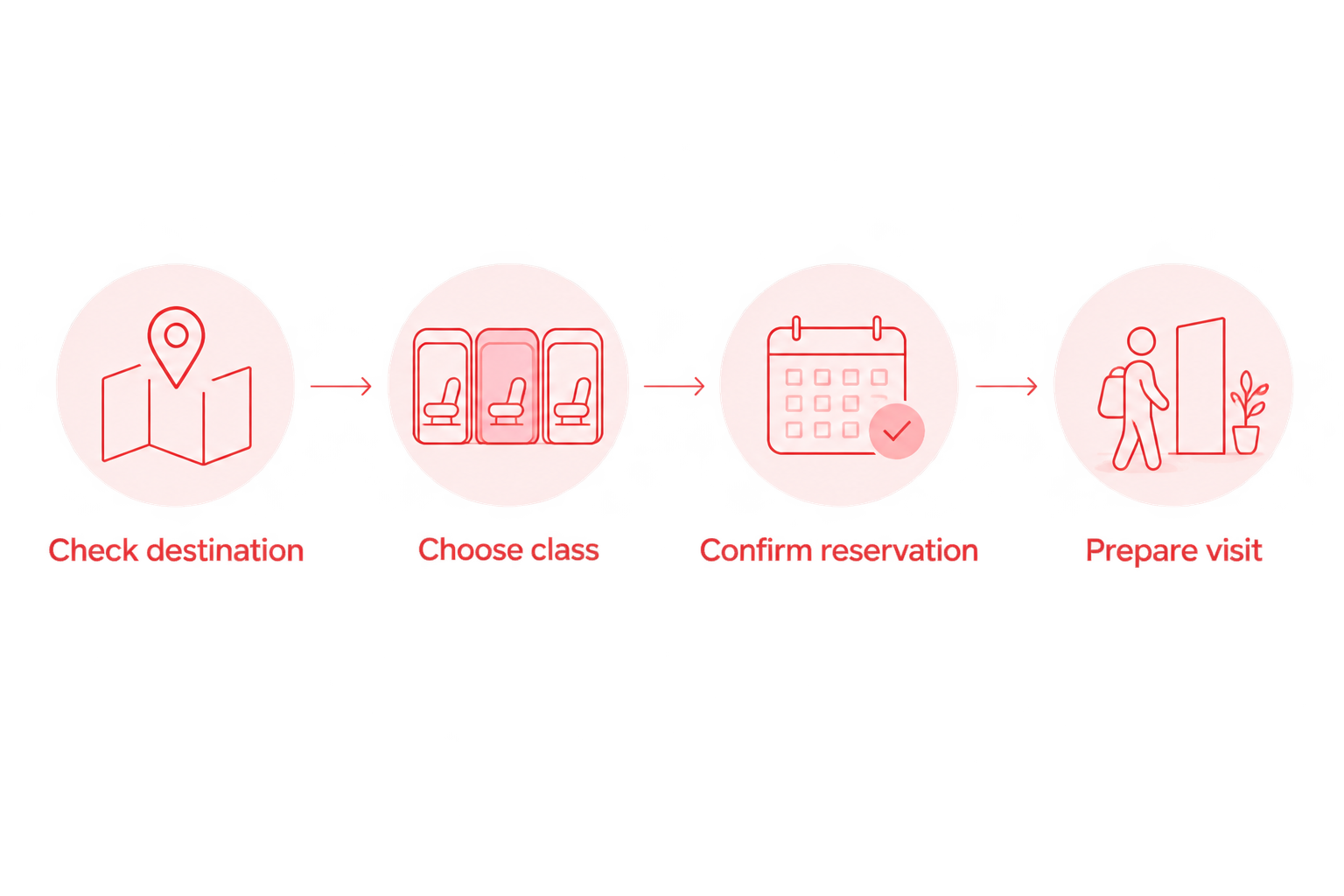
The route is straightforward once each stage has its own finish line: a verified destination, a chosen session, a confirmed reservation, and a prepared first visit.
Another route: a saved flyer or a friend's copy
You do not need the original printed flyer to begin. If a friend sends you a photo, preserve the whole QR code rather than cropping through its border.
- Open the image and use your phone's image-based QR recognition if that feature is present. Otherwise, display the image on another screen and scan it with your phone.
- Check the destination just as carefully as you would with a printed flyer. A forwarded image does not verify the link.
- Choose your own session and complete your own reservation. A friend's booking confirmation does not reserve a place for you.
- Compare confirmed class details afterward if you plan to attend together. Matching class names are not enough; the dates and times must match too.
Best for: People arranging a first visit with a friend. The benefit is shared planning; the limitation is that each person still needs to complete the applicable booking requirements.
For anyone distributing a flyer in 2026, test the printed code before sharing copies. Prefer a studio-approved destination that readers can use to find current information, and avoid printing time-sensitive details that require frequent replacement.
Troubleshooting
The camera will not recognize the code
Flatten the flyer, reduce glare, and move the camera until the entire code is in focus. If the print is damaged or the photo is blurred, use the studio's known website rather than guessing the destination.
The code opens a page, but you cannot select a class
Check whether you reached an introduction or information page rather than the schedule. Use the studio's navigation to find dated sessions; do not assume every flyer leads directly into booking.
You created an account but cannot find a reservation
Check the account's booking history and look for confirmation of the specific session. If neither shows a reservation, contact the studio before repeating any payment step.
Your confirmation details differ from your plan
Compare the date, time, format, and location with your intended visit. Follow the studio's stated change process or ask for help; do not assume a reservation transfers between sessions.
You cannot tell what to bring
Return to the current preparation instructions and the selected class description. Ask the studio about unresolved equipment or clothing questions rather than applying hot-yoga assumptions to Barre or Reformer Pilates.
Customize your workflow
Make the next booking easier by keeping your account details accessible and checking your calendar before choosing a session. If you use a personal reminder, copy the confirmed details rather than the flyer text.
When you are ready to consider regular attendance at Unified Hot Yoga, review the Prices page for current intro offers and memberships. Choose around classes you can realistically attend, then confirm how the membership applies to your preferred formats before joining.
After your first visit, note what felt clear and what you want help with next time. That gives you a practical basis for discussing another class with the studio—without expecting your first choice to settle every preference.
FAQ
How do I go from a QR code flyer to a yoga class reservation?
Scan the code, verify the studio destination, choose a dated session, and complete the booking process until you receive confirmation. Opening the page or creating an account does not reserve a class.
What if the flyer is a photo on my own phone?
Use your phone's image-based QR recognition if it is present, or display the photo on another screen and scan it. Check the destination before entering personal information.
Which Unified Hot Yoga class should I choose as a beginner?
Choose a format based on your movement preferences, comfort with heat, and the current class description. Unified Hot Yoga welcomes all skill levels; ask the studio which session fits your needs rather than assuming one format suits every beginner.
Does creating a studio account mean my class is booked?
No, account creation and class reservation are separate outcomes. Check for a reservation showing the specific class, date, and time before making travel plans.
What should I bring to my first heated class?
Plan for comfortable movement clothing and water, then check the studio's instructions for mats, towels, and any other requirements. Do not assume equipment is provided or that every class uses the same items.
Where should I check memberships after scanning a 2026 flyer?
Check the studio's current Prices page for intro offers and memberships. Read how the selected option applies to your intended class formats before joining.
Can my friend and I use the same flyer?
Yes, you can use the same flyer to reach the studio information, but each person needs a confirmed reservation under the applicable booking process. Compare the confirmed date, time, format, and location before attending together.
One last thing
Test the finish line, not just the QR code. For your first visit in 2026, the decisive check is whether you can identify the exact session you reserved and explain what you need to do before arriving.
A working scan only proves that a link opens. Your confirmation and preparation turn that link into a planned first class.